


Understanding Splicing Issues – supporting better results in the field
In daily field work, fusion splicing does not always go exactly as planned. Splicing errors are something most technicians encounter at some point, regardless of experience level. Very often, these issues are not caused by faulty equipment, but by small gaps in technical understanding or by the difficulty of diagnosing a problem under changing field conditions.
This is completely natural. Fiber optic splicing combines precision mechanics, material behaviour, and environmental factors, all of which influence the result. What matters most is knowing how to interpret what the fusion splicer is showing you and how to respond to it.
INNO fusion splicers are designed to actively support technicians working in real-world conditions. The system continuously analyzes the splice process and provides feedback when something is not optimal. Many of the errors reported by the splicer can be corrected quickly and easily, once you understand what causes them and how splicing parameters interact.
By improving your understanding of splicing techniques and device behaviour, you can turn most error messages into clear guidance rather than obstacles. That is why we prepared this overview of common Splicing Issues – to help you recognize what you are seeing on the screen and adjust your workflow to achieve stable, low-loss splices.
Many splicing problems can be avoided by performing Arc Calibration every time you start working in new conditions.
Environmental changes such as temperature, humidity, altitude, or even moving from indoor to outdoor work affect arc behaviour. Arc Calibration allows the fusion splicer to “learn” the current conditions and automatically adjust arc power accordingly. Spending a few extra minutes on calibration often saves significantly more time by preventing failed splices and rework.
It is also important to regularly check:
- the condition of the electrodes
- the cleanliness of the V-grooves
- the state of the cleaver blade
These elements directly influence splice quality and should be treated as part of routine preparation, not only troubleshooting.
Below, we will help you recognize common splicing issues, understand why they occur, and learn how to prevent them.
Fusion Splicer Error Warnings Explained
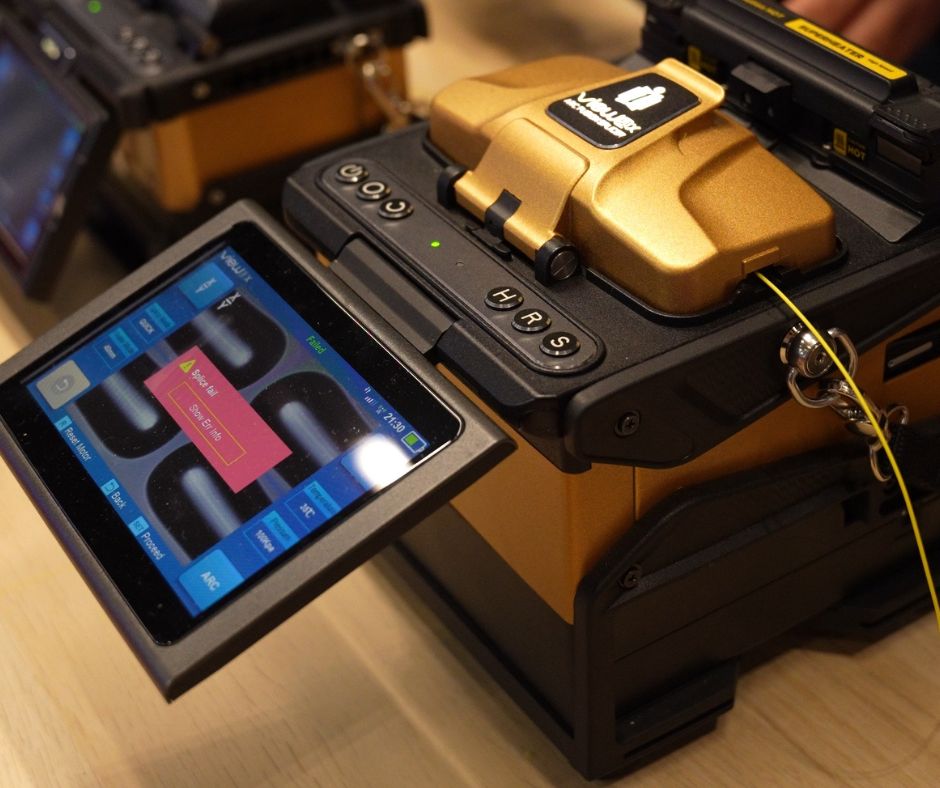
INNO fusion splicers are designed to actively support technicians by identifying potential issues before the splice is performed. In some situations, the fusion splicer may prevent the splice from starting if it detects conditions that could lead to poor results. You may see warnings such as “Right fiber core dirty” or similar messages, indicating that the fiber preparation needs to be corrected. These pre-splice alerts help avoid low-quality splices with high loss that could disrupt signal transmission in the fiber. By addressing these warnings early, technicians can correct the issue in seconds and proceed with confidence, knowing the splice quality will meet performance expectations.
Example Splicing Issue:
Bubble
After completing a splice, you notice a small dot or bubble at the splice point on the screen image. The fiber appears fused, but a visible imperfection is present exactly where the two fibers were joined.
Why this happens
A bubble usually forms when gas or contamination becomes trapped in the molten glass during splicing. This can happen for several reasons:
- contamination on the fiber surface
- poor or damaged cleave end
- insufficient pre-fuse time, which does not allow gases to escape
- unstable arc conditions caused by environmental changes
Even a small imperfection at the fiber end can lead to gas being trapped during the arc, resulting in a visible bubble and increased splice loss.
How to prevent this issue
To reduce the risk of bubbles appearing in future splices, it is worth remembering to:
- clean the fiber thoroughly using lint-free wipes and proper alcohol
- verify cleave quality and blade condition before splicing
- allow sufficient pre-fuse time, especially in challenging conditions
- perform Arc Calibration whenever working conditions change
- keep electrodes and V-grooves clean and in good condition
By understanding what the splicer is showing you and taking these preventive steps, most bubble-related issues can be eliminated before they affect splice performance.
Example Splicing Issue:
Separation
After the splice is completed, the fusion splicer indicates separation. On the splice image, you may notice a visible gap or weak connection at the splice point. In some cases, the fibers appear aligned, but the connection lacks continuity or strength.
Why this happens
Separation occurs when the fibers do not properly bond during the arc process. This is often linked to:
- insufficient material available for proper fusion
- arc power that is too strong or unstable
- excessive pre-fuse time weakening the fiber ends
- environmental changes affecting arc behaviour
If the arc energy is not well matched to the conditions, the molten glass may retract instead of merging, resulting in an incomplete connection.
How to prevent this issue
To avoid separation during splicing, it is helpful to:
- ensure correct stripping length and proper fiber preparation
- verify that fibers are securely positioned in the holders
- avoid overly long pre-fuse times
- perform Arc Calibration whenever working conditions change
- monitor electrode condition and replace or clean them when needed
With stable arc conditions and correct fiber preparation, separation issues can usually be eliminated quickly.
Example Splicing Issue:
Too Thin
The fusion splicer reports “too thin”, and the splice image shows a narrowed section at the splice point. The fiber diameter appears reduced where the two fibers were joined.
Why this happens
A “too thin” splice is typically caused by excessive stretching of the molten glass during the arc. Common reasons include:
- arc power that is too high for the current conditions
- insufficient material due to short stripping length
- misalignment during the fusion process
- repeated arc exposure on the same splice
When the glass is overheated or pulled too aggressively, it thins out, reducing both mechanical strength and optical performance.
How to prevent this issue
To reduce the risk of thin splices, remember to:
- ensure arc power is appropriate for the fiber and environment
- prepare fibers with correct stripping length
- avoid re-splicing the same joint multiple times
- perform Arc Calibration after any change in temperature, humidity, or location
- keep V-grooves and alignment areas clean
Proper arc control and preparation help maintain the correct fiber geometry at the splice point.
Example Splicing Issue:
Too Fat
The fusion splicer flags the splice as “too fat”. On the screen, the splice point appears thicker than the surrounding fiber, with visible excess material around the joint.
Why this happens
A “too fat” splice is caused by excess molten material accumulating at the splice point. This usually results from:
- too much stripped fiber length
- excessive arc duration
- improper centering of the fibers
- arc conditions not matched to the environment
Although the splice may look solid, the uneven geometry can disrupt light propagation and increase splice loss.
How to prevent this issue
To prevent overly thick splices, it is worth focusing on:
- consistent and correct stripping length
- avoiding unnecessarily long arc times
- checking fiber centering before splicing
- performing Arc Calibration whenever conditions change
- ensuring electrodes are clean and functioning correctly
Balanced arc energy and proper alignment help achieve a smooth, uniform splice profile.
Did You Know? Fusion Splicers Can Help Diagnose Issues Remotely
Fusion splicers connected to View Pro Manager can capture screenshots directly on the device and upload them to the platform. This allows splice images and on-screen messages to be shared with the system, giving our technical team clear visual context when reviewing splicing results. By analysing these screenshots, it becomes easier to identify the root cause of splicing issues and provide accurate guidance. We will cover this functionality in more detail in a separate article focused specifically on remote diagnostics and workflow support using View Pro Manager.
Read more about VPM
Most splicing issues are not failures, but feedback. When your fusion splicer reports an error, it is providing valuable information that helps you adjust parameters and improve results.
By understanding how arc behaviour, fiber preparation, and environmental conditions interact, you can respond quickly and confidently. Regular Arc Calibration, clean components, and attention to preparation allow you to achieve consistent, low-loss splices and avoid unnecessary rework in the field.
In most cases, these issues do not indicate a problem with the device itself, but rather signal that a small adjustment in technique or setup is needed.
Understanding what the fusion splicer is showing on the screen allows technicians to respond quickly and confidently. Visual indicators such as bubbles, separation, or changes in splice geometry provide valuable information about arc behaviour, fiber preparation, and alignment. When interpreted correctly, they become practical guidance rather than obstacles.
INNO fusion splicers are designed to support technicians by highlighting irregularities early and helping maintain stable, low-loss splices. With a solid understanding of splicing principles and device behaviour, most errors can be corrected in minutes, reducing rework and improving overall efficiency.